 Jesse Moran
This post contains affiliate links. If you purchase through one of these links, I may earn a commission at no additional cost to you. As an Amazon Associate I earn from qualifying purchases. The manufacturer supplied this product for review. The observations and opinions below are my own.
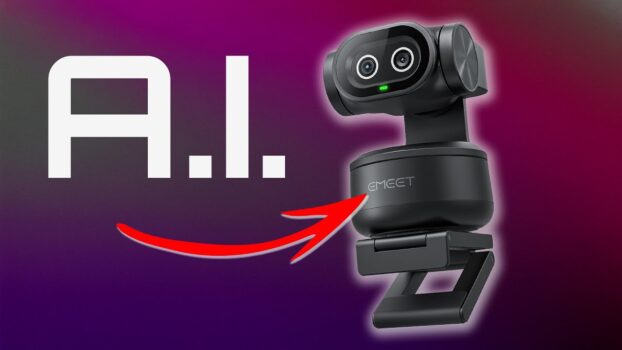
The EMEET Pixy is a dual-camera 4K webcam designed to track a person, adjust framing, and respond to changing light without requiring constant manual corrections. I installed it in place of my existing 4K webcam and used the Pixy footage for the second half of my video.
That before-and-after structure gives you a direct visual reference in the embedded video. Lighting, compression, and browser playback can affect what you see, so I am focusing here on the behavior I actually used rather than declaring a laboratory image-quality winner.
Build quality and what is included
The box contained the Pixy, its cables, and documentation. The camera was heavier than I expected and felt substantially metal rather than lightweight plastic. That weight gave it a premium feel, although a lighter monitor or stand should still be checked for stability.
Dual-camera AI tracking and PTZ movement
The Pixy combines its cameras with separate processing for imaging, tracking assistance, and PTZ control. In use, it can follow a presenter instead of forcing the presenter to remain centered in one fixed frame. That is useful for teaching, cooking demonstrations, presentations, and meetings where the speaker moves around.
The specifications discussed in the video include a 310-degree pan range and 180-degree tilt. Those ranges cover most of a room without requiring a full continuous rotation.
Gesture control
I could raise a hand for roughly two seconds to activate tracking and repeat the gesture to stop it. This makes it possible to change camera behavior while standing away from the computer. Gesture recognition still depends on the camera seeing the hand clearly, so backlighting, framing, and distance can matter.
Resolution, focus, and software controls
The Pixy supports 4K capture and lower output resolutions including 1080p and 720p. The video also identifies PDAF autofocus and a 1/2.55-inch sensor. I used the camera’s live preview and liked the visible image quality, but the review did not include resolution charts, measured autofocus times, or low-light noise analysis.
EMEET’s software provides zoom controls and three preset positions that can be recalled without manually rebuilding a shot. The software also presented AI-assisted scripting features. I noted their presence, but did not conduct a separate evaluation of script quality.
What I liked
- Substantial metal-feeling construction.
- PTZ tracking for presenters who move around a room.
- Gesture-based start and stop controls.
- 4K capture with lower-resolution options.
- Software zoom and reusable framing presets.
What to consider
- The camera is heavier than a typical basic webcam.
- I did not run controlled low-light, autofocus-speed, or color-accuracy measurements.
- AI scripting was shown as a software feature but not reviewed in depth.
- Your preferred image may differ; the embedded video provides the most useful comparison.
My verdict
The EMEET Pixy is most compelling when a fixed webcam cannot keep up with the way you present. Its tracking, gesture controls, presets, and wide PTZ movement make it useful for creators, instructors, and meeting rooms. I liked the image in my preview and the camera’s build quality, but buyers who care about fine image differences should watch the before-and-after footage and judge it on their own display.
For another look at automated camera framing, see my Coolpo AI Huddle PANA vs. Kandao Meeting 360 comparison.