
 Jesse Moran
This post contains affiliate links. If you purchase through one of these links, I may earn a commission at no additional cost to you. As an Amazon Associate I earn from qualifying purchases.
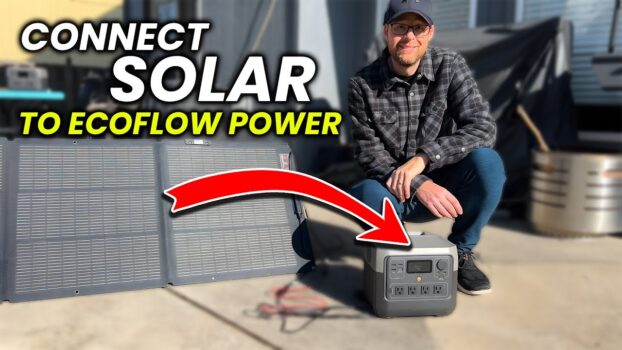
I connected an EcoFlow 160W portable solar panel to my EcoFlow RIVER 2 Pro and adjusted the panel to improve the incoming solar power. Here is the setup I used, including the built-in angle guide and a phone-based alignment trick that also works when a panel does not include its own guide.
Watch the video
Products used in the setup
Connection overview
- Place the portable panel outdoors where it can receive unobstructed sunlight.
- Open and support the panel so its active surface faces the sun.
- Connect the panel lead to a compatible solar connector.
- Connect the other end to the RIVER 2 Pro’s solar-input port.
- Check the power station’s display to confirm that solar input is being received.
- Adjust the panel angle and position while watching the input reading.
Improve the panel angle
I used the EcoFlow panel’s built-in solar-angle guide to aim the panel more directly toward the sun. For a panel without a guide, a phone can help check the angle. Watch the RIVER 2 Pro’s input reading while making small adjustments. Shade, clouds, heat, cable losses, and the sun’s position can all reduce the power you receive.
Specs stated in the source
- RIVER 2 Pro capacity: 768Wh.
- Supported solar input: up to 220W.
- EcoFlow 160W panel: IP68 rating and claimed conversion efficiency up to 25%.
- RIVER 2 Pro wall-charging claim: 0–100% in 70 minutes.
EcoFlow rates the RIVER 2 Pro at 768Wh with support for up to 220W of solar input. The 160W panel is advertised with an IP68 rating and conversion efficiency up to 25%, while the power station’s 0–100% in 70 minutes claim applies to wall charging—not typical solar conditions. Treat those figures as manufacturer specifications rather than results from my outdoor setup.
Important setup notes
Before connecting anything, confirm that your panel, cable, connector polarity, voltage, and current are compatible with the RIVER 2 Pro. Use the current EcoFlow manuals for your exact hardware. After connecting, confirm that the display shows solar input before leaving the setup unattended.